To enroll in or waive benefits in ADP, you’ll do it through the Benefits Enrollment section in the employee self-service portal.
Steps in ADP
Log in to your ADP Workforce Now [click here to access] account.
Go to Myself
Under Benefits, click on Enrollments

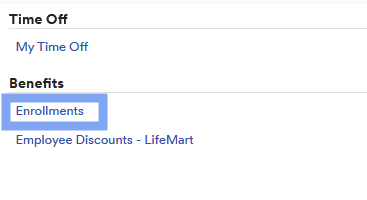
4. Click “Start Enrollment” (or “Enroll Now” if a pop-up appears).
5. From there, you can:
Enroll in plans (medical, dental, vision, etc.)
Waive coverage if you do not want a plan (you may need to select a reason)
What you’ll see in the enrollment screen
Action Required – items you must complete (like choosing or waiving coverage)
Selected Plans – benefits you are currently enrolled in
Eligible Benefits – plans you can enroll in or waive
✅ Tip: The enrollment pop-up usually appears automatically when you log in during the open enrollment period until you complete your elections.
Was this article helpful?
That’s Great!
Thank you for your feedback
Sorry! We couldn't be helpful
Thank you for your feedback
Feedback sent
We appreciate your effort and will try to fix the article